RapidSpell WPF v2.0

free trialbuy now

Overview
Support Forum
Licensing
Dictionaries
Screenshots
Documentation
Version History
FAQ


What Sets It Apart

Integrated As You Type and Dialog Checking
Open API
Extremely Customizable
Auto Correct
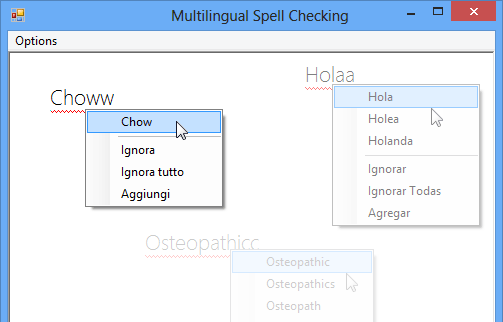
Multiple Languages Supported
RapidSpell WPF


RSS


Add as-you-type and dialog spell checking to your WPF applications.

RapidSpell WPF spell checker can be integrated in to any application to provide a fully independent and highly customizable spell checking control. RapidSpell WPF can also be used in non GUI contexts using its spell checking API. Written exclusively for WPF, RapidSpell includes 4 English dictionaries and multiple other dictionaries are available (including medical).

Download our fully functional evaluation and add WPF spell checking to your own applications quickly and easily – includes Visual Studio demos and full documentation.

General Details

RapidSpell includes 3 spelling controls; RapidSpellDialog for dialog based spell checking, RapidSpellAsYouType for as-you-type spell checking and RapidSpellChecker the engine for spell checking strings.


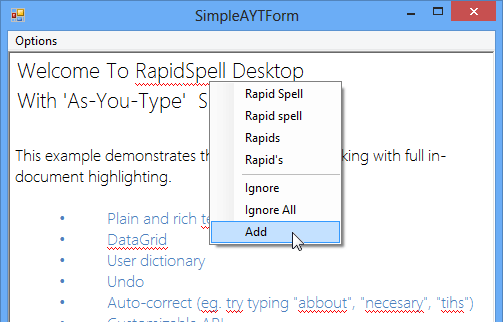
RapidSpell WPF as-you-type spell check

Spelling errors are highlighted or autocorrected as the user types, right-clicking on a highlighted word shows a context menu with suggestions and options to 'Ignore All' or 'Add' to user dictionary. Includes English/Customizable Autocorrect. Works with TextBox and RichTextBox. Only one instance of RapidSpellAsYouType is needed for all text boxes on a form.

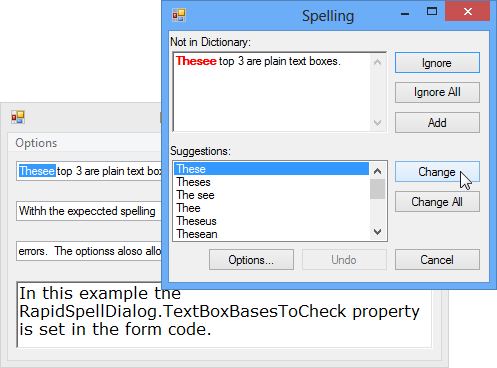
RapidSpell WPF dialog spell checker

RapidSpellDialog has all the usual GUI features, add, undo, options, change, change all, ignore, ignore all, smart suggestions and double word detection. Checks selections, whole documents with wrap at end, accepts manual corrections, and allows user to edit main document during spell check.

RapidSpell WPF Options form

The customizable option forms provide the user with several spell checking options and the ability to modify the contents of their 'user dictionary' (if activated).

RapidSpellChecker is the engine in the API, it can be used to spell check strings and can form the basis of a custom user experience.

RapidSpell WPF Dict Manager

RapidSpell includes Dict Manager free, which allows complete customization of the dictionaries.

Technical

The API was designed to provide for easy customization. The dialog GUIs can be redesigned by simply modifying the UI XAML in the VS designer, source is included in the demo projects. The behavior of the GUI can be customized by modifying the XAML codebehind or the presenter class (through subclassing).

The RapidSpellDialog and RapidSpellAsYouType controls can be set to check multiple text boxes on a form, this means that only one instance is used which speeds up design and improves efficiency.

Dict Manager, allows RapidSpell Dict files to be customized and created using other word lists.

RapidSpell WPF was designed to .NET 3.0, 3.5, 4.0 specification, and fully supports Visual Studio .NET 2008 and 2010.


Free Evaluation Download

Also available, RapidSpell for: .NET Win Forms
ASP.NET
Silverlight
Web Java (JSP)
Desktop Java (Swing)

Questions?


About | Contact | Site Map | Privacy Policy

Copyright © 2002- Keyoti Inc.