An effortless search solution
SIMPLE SETUP
HIGHLY CUSTOMIZABLE
POWERFUL FEATURES
GUI
to manage your indexes
API
for your customizations

Built-in search engine features
for your users

From none to done within minutes
Our Quick Start Guide will get you setup with SearchUnit in no time.
Your ASP.NET Web Forms & MVC search engine
Powerful search for web applications
SearchUnit is a search engine component library for MVC & Web Form applications.
Try SearchUnit now:
Unlimited Searching
No restrictions on; number of searches, index size, document limit or file types you can index. A truly fully featured, full text search experience for your site.
Best UX available
Our latest AJAX based end user interface is smooth and quick, exactly what users will expect.
Craft a custom experience
Build the best internal search for your app. by using our open API and Plug-in architecture to make your internal search engine work your way.
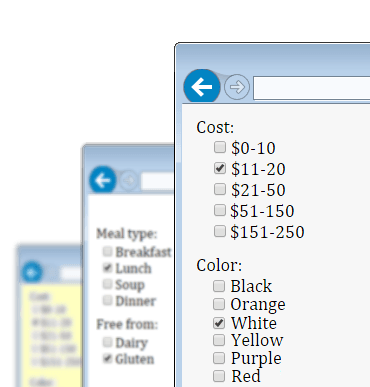
Use Faceted Search to organize your app.
Categorization and multiple filter types will clarify your content to users, resulting in improved find rates, better understanding of your data and smiles all round.
Get the broadest client platform support possible
Our Javascript based usage and web services (WCF or ASMX) architecture mean that client platforms and frameworks such as MVC, Web Forms, ASP.NET AJAX, HTML, ASP, jQuery, AngularJS, Azure etc are all supported. Server-side web services mean mobile platforms such as Android, iOS can search too.Keep the index up to date and ticking with automated refreshes
Windows Services, or the Task Scheduler can be used to periodically reindex content, and use our API to incrementally index content immediately.Compare SearchUnit with open source engines
View our SearchUnit comparisonMake the design team happy
SearchUnit's templates accommodate leading edge CSS / HTML based responsive designs.
Secure document and page access to specific user groups
Setup ACLs (called Security Groups) to stop users even seeing results they are not entitled to open.
Give end users the features they want


View more customers and case studies
Intranet search too
Filesystem and spider based document importing, doesn't matter where it lives, SearchUnit can index it.Tools for web and desktop management
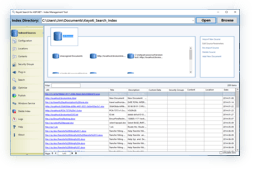
Our refined desktop based Index Management Tool and Web Administration app. let you easily monitor and manage indexes.Minimal application footprint
By adding some <script src...> tags you automatically configure the search engine for your page.
Index almost any file type
Built in support for the most common files eg.- .aspx
- .asp
- .csv
- .doc
- .docx
- .htm
- .html
- .jsp
- .msg
- .ods
- .odt
- .ppt
- .pptx
- .rtf
- .txt
- .xls
- .xlsx
- .xml
- .zip
and if we don't support it out of the box you can use custom / 3rd party file parsers to get the job done.
Minimal fuss internationalization
I18N by design, not afterthought. SearchUnit automatically supports most languages and scripts (Western languages, Middle Eastern, and partial support for Eastern languages) with additional enhancements for 15 languages (spelling, stemming and stoplists).A Search Engine on your website in no time at all
our scripts and tags to your page.
which directory will be used to store index files.
documents using our Index Management tool.
SearchUnit Features
- Unlimited index size
- Unlimited search queries
- Multiple document format indexing
- High-speed index based searching
- Open, pure .NET API
- Reusable administration web application
- 'Did you mean?' spelling suggestions
- Content & Location categorization
-
Smart search result summary & keyword highlighting
-
Stemming/Lemmas - Word form variations are searched and (optionally) ranked lower
- Complex expression support; phrases, nested groups, partial matching, NOT, OR and AND
- AJAX based results, filters, autocomplete and document text preview
- Database/DataSet search
- Spider crawler
- Filesystem search
-
Templated control
-
Extensible and Flexible
For example;
- maybe your application has a unique way of delivering documents to users, that you want to be searched.
- or maybe you want to filter out results based on your own logic.
- or index database records and other meta data but point the results to actual files, or BLOBs.
These are real world examples that we have helped customers with – let us know your situation and we’ll guide you through it.
- Indexes/crawls password protected websites
- Completely 'Microsoft Indexing Service' independent
- Result DataSource merging
- Ignore region support
- Unicode and non English language support
- Compatible with multiple versions of Microsoft ASP.NET
- Section 508 / AA compliant