As You Type
Spell Checker
Dialog
Spell Checking
Global Reach
US, UK, CA, AU English dictionaries included free.
17 additional dictionaries available inc. Medical & Legal.
Broad Platform Support
JSP · JSF · AJAX · HTML · jQuery · AngularJS & more
Non-GUI
Spell Check API
Spell check for Web (JSP/JSF) applications
Simple, but flexible, spell checking
Add spell checking functionality and value into J2EE Web applications with RapidSpell Web Java spell checking components designed to meet the needs of all Java developers.
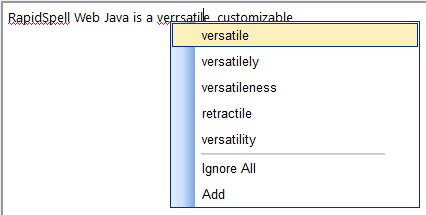
As you type mode
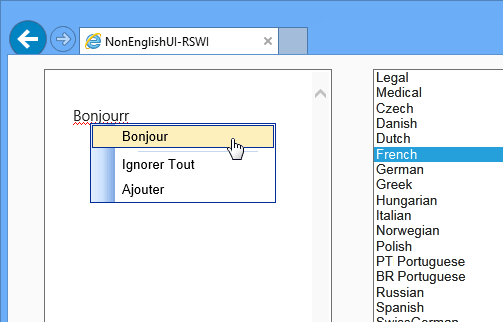
As-you-type spell checking with full in-document highlighting for Java Web (JSP & JSF) and Java Desktop (Swing only) application developers. Highlight users spelling errors as they type, paste or edit text within your app. Spelling suggestions are provided in a right click context menu.
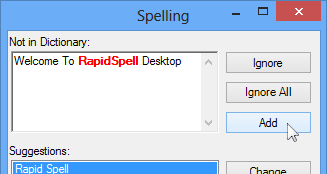
Dialog mode
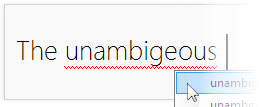
The dialog user interface provides all the common spell checking features such as, add (to user dictionary), change, ignore, ignore all, undo, options and smart suggestions.
Use it with any framework
Whether Javascript is your thing or not, easily add the minimal Javascript code to your app, it works on
- JSP
- JSF
- Servlets
- HTML
- AJAX & more

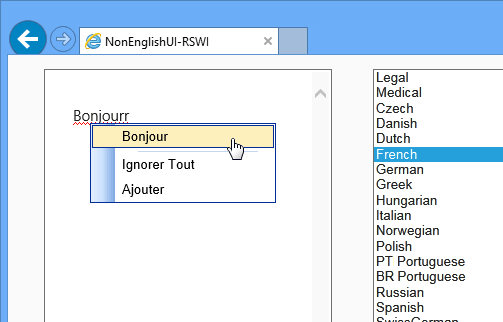
Global reach
4 English language variations (US, UK, CA, AU) included free of charge with 17 extra dictionaries also available, including medical and legal. All of which are modifiable.
Online Demos
These demonstration pages are included in the download ZIP as a demo project.






Customization
With full API access, customizations can be made to behavior such as working with user dictionaries in a database format instead of the default text file format, altering the parser to check for offensive language or changing the way words are identified and their corresponding suggestions.
In addition, developers can use the core spell checker functionality through the RapidSpellChecker class, allowing usage without the GUI in console and server applications for example.
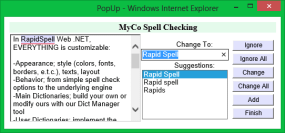
Minimal application footprint
By adding 2 <script src...> tags you automatically configure the spell checkers (as you type + dialog) to work with all text boxes in the form. Specific text boxes can also be ignored using nospell attributes or the Javascript API.
Custom dictionaries
The user interface can easily be restyled by extending its class and overriding the design method (an example of this is included). The spell checker engine can be completely separated from the GUI allowing you to customize behavior.
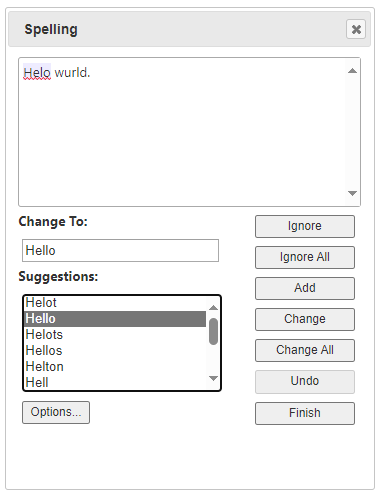
Multilingual
RapidSpell has built-in multi-lingual support, offering the GUI in several languages. Multiple non English language dictionaries are available including Medical and Legal dictionaries.
Easy Setup
RapidSpell Web Java can be used by either importing 2 Javascripts onto your page (it will automatically set itself up) or through JSP tags. RapidSpell Desktop Java can be used with 2 lines of code.
No post-back interface
All dictionaries (main and user's) are stored on the server, yet the user's spell checking experience is not hampered by any post-backs to the server, because there are none. User dictionaries can be stored on a database (examples provided).
Dictionary Manager
The Dict Manager tool (included free of charge) provides Java Swing & JavaFX and JEE developers with a user friendly method of maintaining the dictionaries. Add, lookup and remove words. Create new dictionaries or merge existing word-lists.
'Sounds-like' or hashing suggestions
As each user and each application is different, sometimes you need to offer spelling suggestions tailored to your target audience. RapidSpell offers two different suggestion mechanisms to find the best suggestions for words.
HTML text box support
RapidSpell Web Java can add spell checking to any HTML text box component as well as 3rd Party text components such as HtmlArea and FCKEditor.
Full browser coverage
RapidSpell Web Java supports all major browsers and requires only HTML and JS to enable spell checking for your J2EE applications.
Section 508 / AA compliant
RapidSpell Web Java complies with Section 508 and W3C AA. Please view the Voluntary Product Accessibility Template (VPAT) which outlines the specific accessibility-related features.